Reflection
I started this project with so much excitement and ended it with pride. I was super excited for this project because I would have complete freedom over my content and how I presented it. I did just that and I am super proud of it.
I am a very indecisive person so choosing the template took some time for deliberation. I wanted to make sure that I chose a template that was best suited for the vision I had but could function well with plugins and heavy editing.
I settled for a theme that I had previously worked with and enjoyed. Knowing this theme worked very well with the idea for a blog.
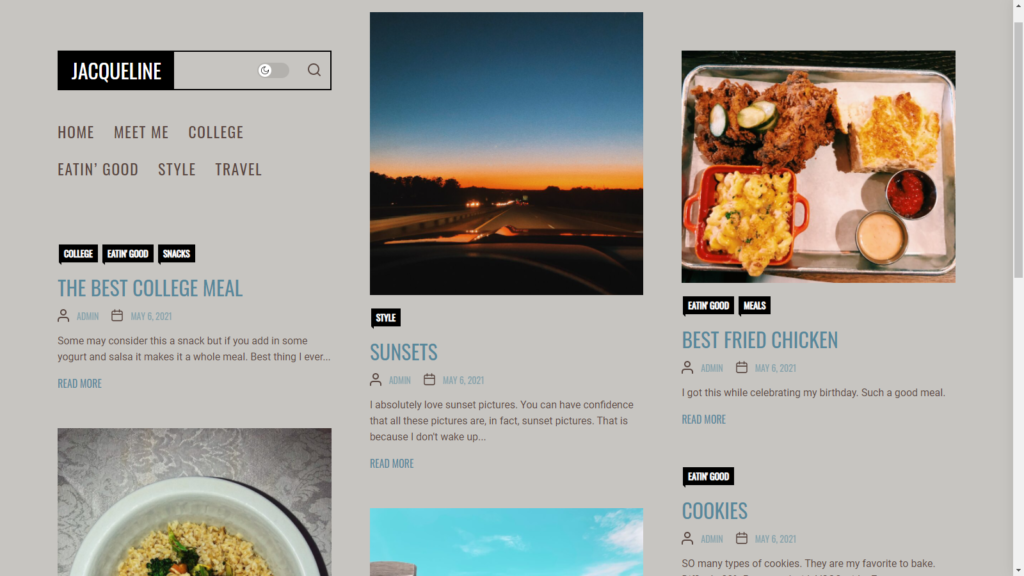
My Favorite Part
My favorite part was putting in all the content and then stepping it up by adding in plugins or different blocks. Even this reflection page is more than basic. It is a plugin (Otter) page template.
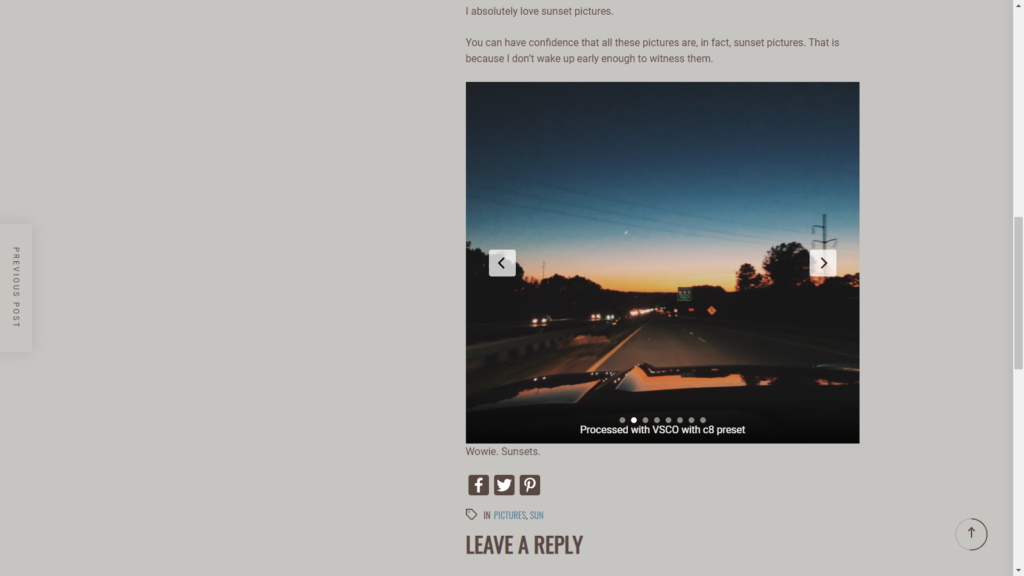
This feature was from the plugin Otter. I really enjoyed this one because it allowed me to display multiple photos in a more unique way.
The options it provided were easily laid out and allowed me to customize a large amount of things without using custom CSS.
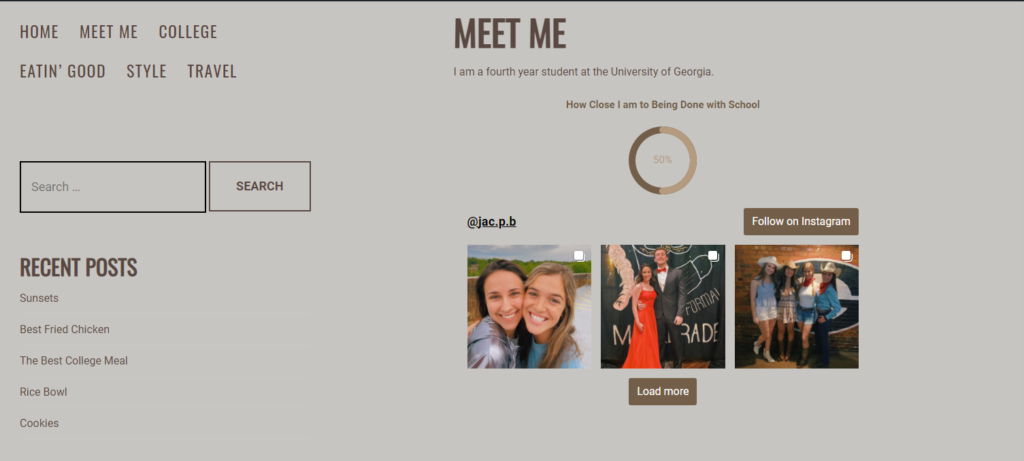
Absolutely adored this particular plugin. It allowed for tons of customization and was real time. As I worked on this project and updated my Instagram the widget updated as well. It was fun to flip back and forth as I tried to blend the widget into the background. I had to fiddle with the borders and their visibility until I got it just right.
An Interesting Addition
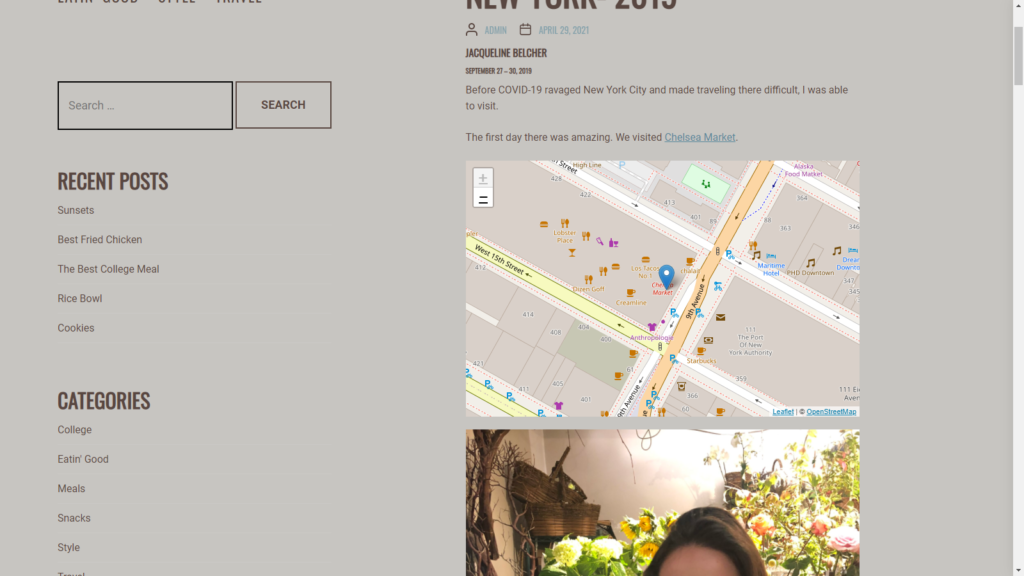
The map widget from Otter really tied my travel stories together by making it more clear where the locations in the story were located at.
Something I Am Proud of
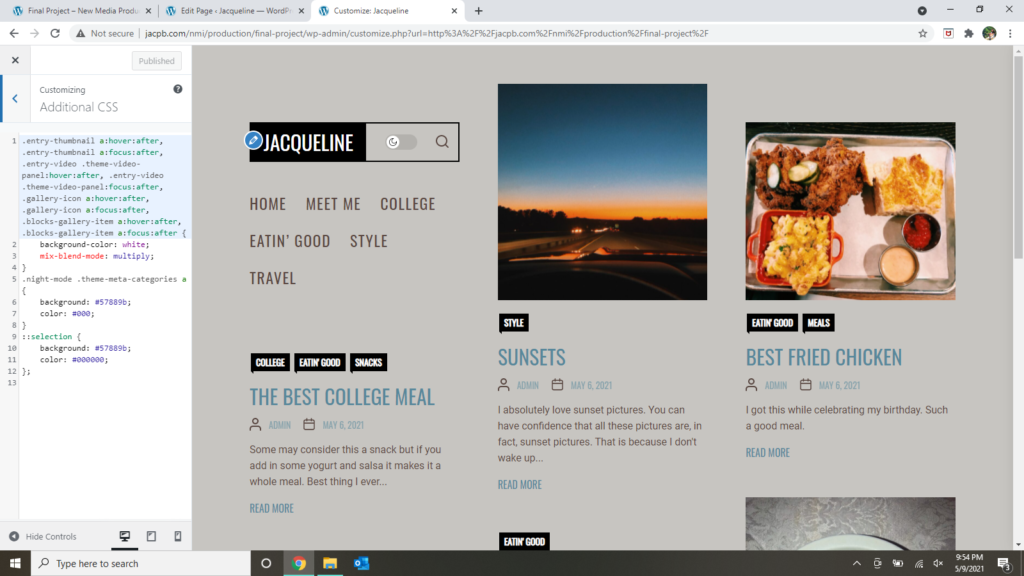
There was a specific bit of CSS that was super tricky. Since I had used this WordPress template before I remembered how to fix it. However, it would not work.
I was trying to get the color of the image on hover to change from yellow (I got to the point where I wanted any color other than yellow to show up. I was very sick of the color.) to a color that matched my theme. I was able to change the color of when you highlight words from yellow to the same blue I had already been using.
For some reason I couldn’t make the hover color change. I realized that I was using the wrong function name and changed it to the correct one. After I did that it worked correctly.
A Feature I am Pleased With
I used a plugin called AddToAny Share Buttons. It is a feature that allows users to share blog posts to either Twitter, Facebook or Pinterest. It can be seen at the end of all blog posts.
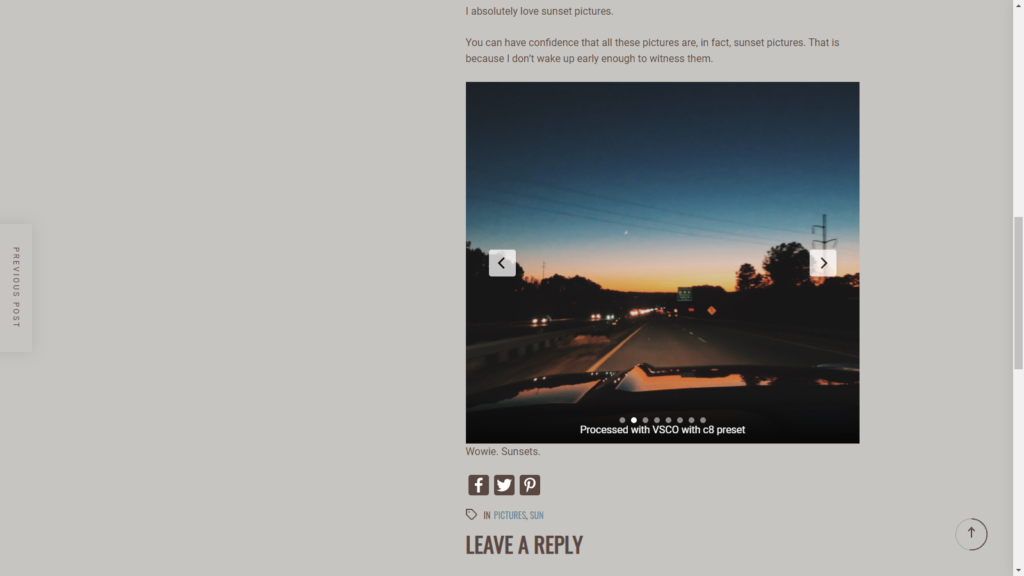
You can see the icons at the bottom of the blog. 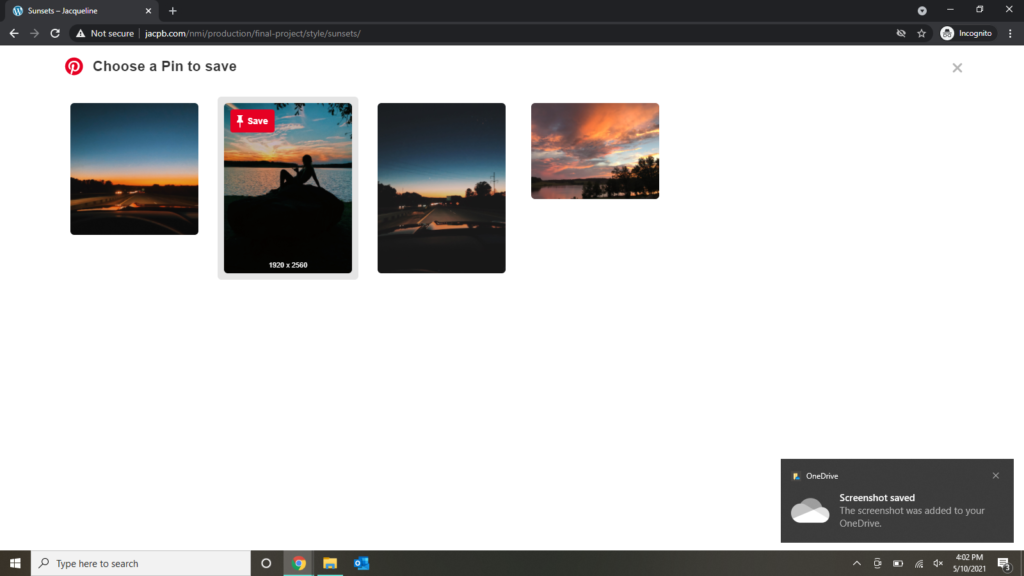
If you follow the link for Pinterest this it what you would see.
